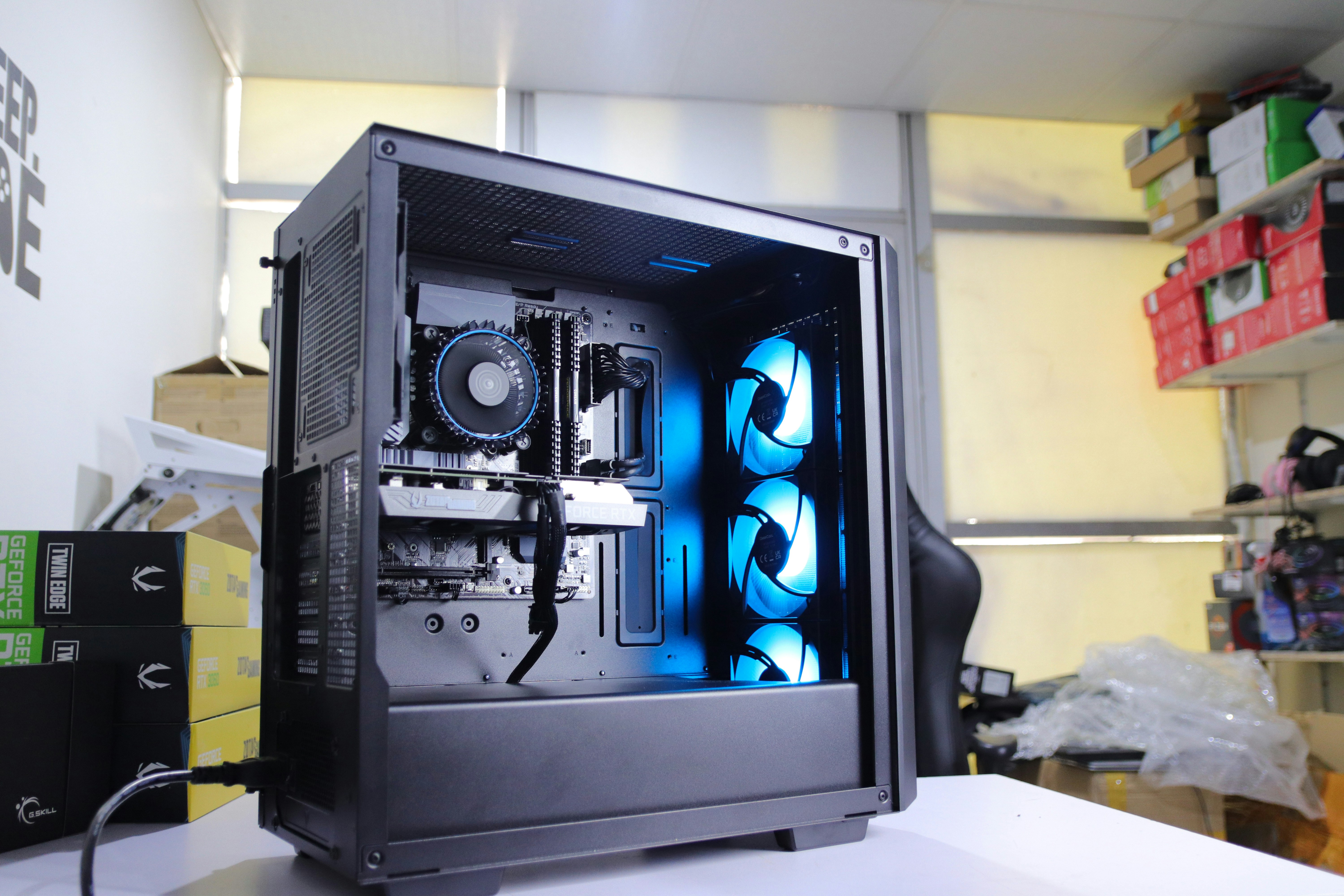
A pre-built desktop is fine if you just need something that turns on. A custom PC build in Dharan almost always gives you more performance for the same budget.
Every rupee goes into the parts that actually matter for what you do — gaming, editing, development or everyday office work — instead of a generic spec sheet. Here's how to plan one properly.
Quick answer
Put your budget where it matters most for your use case — GPU for gaming, CPU/RAM for editing, a solid PSU and SSD for everything. Cost scales mainly with the CPU and GPU tier; get a current quote rather than relying on a fixed number.
1 Why Build Custom Instead of Buying Pre-Built?
Pre-built desktops are built to a price point, which often means a strong-looking CPU paired with a weak power supply or slow storage to keep costs down. A custom build lets you decide the priority — more GPU for gaming, more RAM and CPU cores for editing and 3D work, or a quiet, reliable machine for office use — and every component is chosen to work well together rather than cut corners somewhere invisible.
2 The Core Components, Explained Simply
CPU (Processor)
Handles general processing. More cores help with multitasking, editing and rendering.
GPU (Graphics Card)
The single biggest factor for gaming performance and video/3D rendering speed.
RAM (Memory)
Affects how smoothly multiple programs and browser tabs run at once.
Storage (SSD/HDD)
An SSD dramatically cuts boot and load times compared to a traditional hard drive.
Power Supply (PSU)
Often overlooked, but a quality PSU protects every other component from damage.
Case & Cooling
Good airflow keeps temperatures down, which keeps performance stable over time.
3 Choosing a Build for Your Use Case
Everyday Use
A mid-range CPU, 8-16GB RAM and an SSD cover browsing, documents and video calls comfortably without a dedicated graphics card.
Gaming Rig
The GPU deserves the largest share of a gaming budget, paired with a capable CPU, 16GB+ RAM, and an SSD for fast level loading.
Video & 3D Work
Prioritize a multi-core CPU, 32GB+ RAM, a fast NVMe SSD for large media files, and a GPU with enough video memory for smooth acceleration.
4 What a Build in Dharan Typically Costs
Costs scale mainly with the CPU and GPU you choose — an office build sits well below a gaming rig, and a high-end editing or gaming build costs more again depending on the graphics card tier. Because pricing shifts with the market and stock, it's best to get a current quote for your exact use case rather than rely on a fixed number — call or visit Hi-Link Computer on Gautam Path for an up-to-date breakdown.
5 Our Custom Build Process
6 After the Build: Warranty & Upgrades
Every component carries its own manufacturer warranty, and a custom build has a real advantage here — if one part ever needs repair or replacement, you only deal with that one part, not the whole machine. It also means upgrading the GPU or adding RAM later is straightforward, unlike many sealed pre-built systems.
Frequently Asked Questions
Often yes — you only pay for the parts you actually need and can prioritize the CPU or GPU that matters most for your use case, rather than a fixed pre-built configuration. It also makes future upgrades much easier.
If all parts are in stock, assembly and testing typically takes one to two days, including stress-testing to confirm stability before handover.
Yes — each component carries its own manufacturer warranty, and we provide after-sales support and troubleshooting for the complete build.
Ready to Build Your Custom PC?
Tell us your budget and use case — we'll put together the right parts list for you.